I had rendered out night scene with a moon light.


For this week I created a black gradient in photoshop to simulate shadow information and then I went into the scene and placed the textures where there might be shadows.


For this final week I did a final assebly to my archviz and used unreal 5 for rendering with path tracing enabled. I did a combination of model and megascans for my scene and also other external assets.


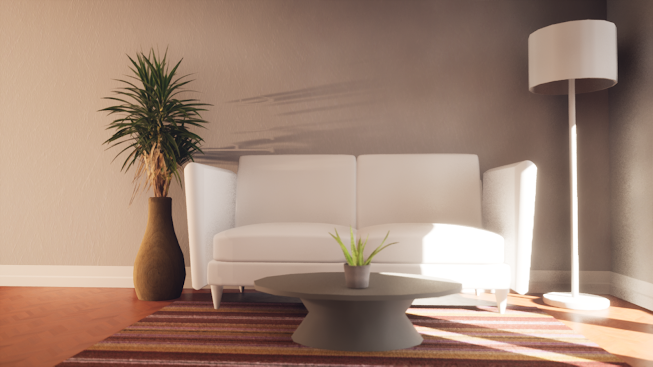
For this week I created a sofa, table and a lamp and put it in the scene. Then I grabbed megascan assets and put it in the scene and I set up the lighting mood of the scene.
Week 1: Block out floor plan in maya and put it in unreal engine 5
Week 2. Refine apartment and model assets
Week 3: added textures and refine render
Week 4: Final render and model and material work.

For this week I block out a 1 bed and 1 bath apartment in maya and put it in Unreal Engine 5 and then did a basic lighting set up
Week 1: Block out floor plan in maya and put it in unreal engine 5
Week 2. Refine apartment and model assets
Week 3: added textures and refine render
Week 4: Final render and model and material work.


A Runtime Virtual Texture (RVT) creates its texel data on demand using the GPU at runtime, and works similarly to traditional texture mapping. The RVT caches shading data over large areas, making them a good fit for Landscape shading that uses decal-like materials and splines that are well suited to conform to the terrain.
Using RVT will allow asset and landscape texture blend with each other seamlessly without any harsh lines and allows better improved performance when using high resolution textures. Also able to add height information to a landscape material without additional performance hit.
The first part is to enable virtual textures in the project setting to be able use RVT.


For this week I adjust the lighting and atmosphere to closely match the reference. Also tried to closely match the assets by adjusting the contrast and saturation.


Gif
For next week ill be working on an archviz portfolio piece.
For this week I created a wood trim on the walls and textured a box and placed it in the scene. I also textured the beakers and replace the old ones.
For this week, I redid the foliage placement and added a Scorcher and Tallneck which I got it from sketchfab. Also added fill lights to any of the darker areas of the scenes and I left the entrance open.

For this week I continued to refine the scene by adding more foliage and used material layers to blend two materials to the cliff.


For this week I did a final textures to the books and the bookshelf in substance painter and put them in the Unreal engine 4.

For this portfolio piece I will be recreating a scene in horizon zero dawn. I will be using mega scan and will be using retime virtual textures to blend the mesh together.


For this last week I created a rock piece in zbrush and did a final edit to the scene. In the scene I created a moving mist shader and use a waterfall effect from an asset pack in unreal engine.


For this week I modified the wall pieces to have more geometry, and in the process texturing the books
and box in substance painter.


For this week I made more changes to the lighting set up and started on the floating island hi res sculpt in zbrush and created grass in maya. Then I put both of them in Unreal Engine 5.


